Modernize Your Accounting: From Spreadsheets to AI

Shweta Singh
September 25, 2025 12 Min Read

Picture month-end: dozens of spreadsheets open, each packed with tabs, formulas, and color codes. Someone is still hunting for “Q2_Consolidated_Final_v5_REAL_FINAL.xlsx.” A last-minute CFO request lands, and no one is certain the numbers on screen are the latest. Sound familiar?
Spreadsheets earned their place because they’re flexible and familiar. But as companies scale, the weaknesses become hard to ignore. Time slips into manual fixes, quality takes a hit, and teams burn evenings trying to stay current.
There’s a better path. Cloud and AI-enabled applications reshape how finance operates. They automate the grind, improve accuracy, and free professionals to focus on analysis and decisions rather than file wrangling.
This article lays out where spreadsheets fall short, what credible alternatives look like, and how AI-powered automation — like what we build at Savant — can future-proof your finance stack.
Let’s be fair and give spreadsheets credit. They’ve been the Swiss Army knife of business software for decades. However, anyone who has spent late nights reconciling accounts or debugging broken formulas is well aware of their limitations.
A mis-referenced cell, stray paste, or range that quietly shifts when rows are inserted can cascade through linked tabs without anyone noticing. By the time variances show up, the trail is cold, and teams are rebuilding logic under deadline pressure. The result is late closes, avoidable rework, and “mystery” adjustments that erode confidence.
The “FINAL / FINAL_v2 / FINAL_FINAL” pattern creates conflicting truths. When multiple copies circulate across email and shared drives, changes collide, context disappears, and someone inevitably presents stale numbers. Reconciling which file is the source of truth burns hours every month.
Auditors don’t just want a number; they want who changed it, when, and why. Spreadsheet change logs are partial at best and break the moment a file is copied or exported. Without durable, system-generated evidence, walkthroughs turn into archaeology, and control conclusions take longer.
Workbooks that felt snappy at a few hundred rows grind when they hit tens of thousands — calcs recalc, links time out, and files corrupt. Teams split models into fragments to cope, which multiplies failure points. Performance drag becomes a hidden tax on every analyst’s day.
Email attachments and network folders guarantee conflicts, missed updates, and “who has it open?” delays. Even cloud sheets struggle when many users edit complex models with validations and macros. Hand-offs slow work, and accountability blurs when edits aren’t tied to roles or approvals.
Sensitive data in files is easy to copy, forward, or download to unmanaged devices. Fine-grained permissions, masking of PII, and timely revocation are hard to enforce consistently. An accidentally sent attachment can create an incident that far outweighs the time saved by staying in spreadsheets.
These aren’t minor annoyances, but legitimate, serious operational risks. As complexity and scrutiny rise, the cost of running finance on ad-hoc files compounds every period.
Before we get into the specifics, let’s level-set what “modernization” means for finance. The job has shifted from assembling numbers at month-end to running a controlled, always-on operation that leaders can trust every day. That shift demands systems that capture evidence as work happens, apply policy consistently, and scale without brittle handoffs. Here are some of the major drivers of modernization:
Frameworks like SOX and customer due diligence expect provable controls, tamper-evident logs, and data integrity from source to report. Modern platforms generate this evidence as work happens — access reviews, approvals, lineage — so audits become validation, not reconstruction. Spreadsheets were not designed for that standard.
New entities, products, currencies, and intercompany flows multiply data and edge cases. Platform workflows handle consolidation rules, FX, eliminations, and dimensionality by design, so you don’t reinvent them each close. The payoff is throughput without brittle workarounds.
Today’s teams are fluent in cloud apps and automation. They expect searchable history, real-time collaboration, and self-serve data. Give them modern tools and they’ll spend their valuable time on analysis and decisions instead of file maintenance.
When ingestion, reconciliation, and report assembly run on rails, finance shifts from producing numbers to explaining them. You get faster variance narratives, forward-looking scenarios, and earlier risk signals — insights that move the business, not just the books.
Modernization replaces ad-hoc files with a controlled, system-based way of working. Operate where the data lives, capture evidence as activity happens, and make control the default state rather than an afterthought.
Spreadsheets struggle under today’s finance realities: data pours in from ERPs, CRMs, banks, and expense tools; teams collaborate across time zones; and auditors expect a clean, verifiable trail from source to report. That environment exposes predictable weak spots that result in delay, rework, and rising risk exactly when the business needs timely, trustworthy numbers. Let’s look into some of these weak spots.
Spreadsheet workbooks live on laptops, shared drives, and inboxes. Pulling data from ERP, CRM, banks, and expense tools turns into a sequence of exports and copy-pastes, each step adding delay and the risk of mismatched filters or formats. Blending sources becomes a chore, and every refresh repeats the same manual routine.
Manual reconciliations and consolidations stretch timelines because they happen in batches and restart when a late journal or correction lands. Teams spend days collecting files, resolving discrepancies, and rebuilding reports, which pushes insight further from the decision point and frustrates stakeholders waiting on numbers.
Macros and scripts help until they break or the maintainer leaves. They’re fragile, hard to audit, and tied to one person’s workstation. Durable automation should be visible, versioned, and operable by the team, not dependent on the in-house Excel expert.
Approvals, segregation of duties, and policy checks are inconsistent in spreadsheets. A copied file bypasses an approval chain; a pasted value overwrites a formula. Modern systems enforce workflow and capture evidence automatically, while files rely on etiquette and memory.
Multi-entity consolidation, currency translation, and intercompany eliminations create edge cases that are tedious to model in sheets. As entities and transactions grow, so does the chance of missed eliminations or FX errors. Purpose-built tools treat these as first-class features and maintain consistent logic from period to period.
You don’t have to leap straight from spreadsheets to a full ERP overhaul. Two categories often deliver the biggest lift first: cloud accounting platforms and specialized consolidation/reporting tools.
Modern GL/AP/AR systems centralize financial data in a single, secure source of truth. Multiple users work in real time without version sprawl, updates and security patches land automatically, and role-based access keeps sensitive data controlled. The practical impact: close tasks run on a shared timeline, reconciliations pull from the same ledger, and reports refresh from live data rather than stitched files.
Example: A mid-sized company with operations in three countries. Before switching over to a cloud accounting system, their month-end close took them two weeks and consisted of constant emails and spreadsheet consolidations. Now that they have implemented a cloud solution, closing now takes five days, with all parties working from the same data set in real time.
For groups with many entities or complex ownership, a reporting layer on top of the GL handles consolidation, currency, and management reporting without custom workbooks. Dashboards are tailored for executives and budget owners, built-in approvals preserve control, and every change carries a timestamp and preparer/approver trail. Audits become a walkthrough of system history instead of a reconstruction from files.
Example: A global retailer automated consolidations and FX conversions across dozens of subsidiaries with a dedicated reporting tool, eliminating recurring manual steps and reclaiming hundreds of hours each quarter.
The case for AI in accounting starts with pace. Finance work now moves continuously — entries, reconciliations, and reviews don’t wait for batch windows — and accuracy has to keep up. AI helps the team operate at that speed by handling the pattern-matching and data hygiene that consume hours, so people can focus attention where judgment is required.
Models review full populations, not samples, to catch duplicates, out-of-period posts, unusual account combos, and round-dollar outliers. Each exception carries why-flags and links to support, so reviewers resolve issues quickly instead of hunting for context, and late adjustments drop.
Automated ingestion keeps feeds current; matching engines tie bank, subledger, and GL activity together in the background; report builders refresh on schedule. Work moves continuously rather than in end-of-week batches, which shortens the calendar and reduces rework when a late journal lands.
Machine learning enriches the view forward with cash-flow projections, aging risk on receivables, and alerts when trends deviate from plan. Finance spends more time on what these signals imply — scenario choices, working-capital moves, and budget guidance — because the groundwork is already done.
Every approval, override, and correction becomes training data. Mapping rules get crisper, false positives fall, and recurring edge cases turn into explicit policies. Confidence improves period over period because the system internalizes what the team accepted or rejected.
Automation carries the operational load of ingestion, reconciliation, assembly, and packaging, so people concentrate on judgment: explaining variances, prioritizing fixes, and advising stakeholders. The hours reclaimed show up in cleaner narratives, faster decisions, and fewer last-minute sprints.
Useful automation sits inside the flow of work. Data moves from core systems into a single place without downloads or copy-paste; reconciliations run continuously and surface exceptions with context; expense approvals route themselves; reports assemble on schedule; and policy checks watch activity in the background. The effect is cumulative: fewer stalls, quicker reviews, and a trail that holds up to scrutiny.
Connect ERP, banks, payroll, and expense tools via stable APIs; centralize field mappings and refresh cadences so all downstream steps pull from the same, current source.
Configure matching rules to link bank, subledger, and GL activity; surface timing differences and duplicates with supporting detail; clear exceptions daily instead of rebuilding month-end reconciliations.
Enforce policy at submission, route to the right approvers with context, and auto-trigger reimbursements; retire email handoffs in favor of in-app workflows.
Standardize definitions, schedule refreshes from live data, and publish reports to predefined audiences; lock versions for period-close and archive the run artifacts.
Define policy checks, run them continuously on transactions and workflow events, and route alerts to owners with links to evidence; track acknowledgment and resolution to maintain an audit-ready trail.
For a more comprehensive resource, look through our Accounting Automation guide here.
Breaking free from spreadsheets starts with clarity, not tools. Map the processes that create the most friction, decide what you’re optimizing for, and then choose platforms that fit your work and will still fit a few years down the line. Here’s how to go about it:
Evaluate your current state – Chart the path from data source to report. Note where handoffs stall, where errors repeat, and which steps depend on a single person. Your team can usually point to the worst bottlenecks in minutes.
Define objectives – Set concrete targets like shorter close, stronger controls, and better visibility, so vendors and internal stakeholders align on success criteria.
Evaluate solutions – Favor platforms that integrate cleanly with your ERP/CRM/banks, scale with volume and complexity, and are easy for non-developers to operate. A shorter feature list that your team actually uses beats a sprawling one they avoid.
Integrate early – Connect new tools to source systems with mature connectors and clear runbooks. Stable integrations prevent the copy-paste drift that reintroduces errors.
Emphasize adoption – Bring end users into design and testing, document the “happy path,” and schedule quick refreshers after the first month. Change sticks when people can see and feel the improvement.
Prioritize security and compliance – Require role-based access, audit trails, encryption, and exportable evidence. Confirm that the platform supports the frameworks you work with.
Adopt continuous improvement – Revisit workflows quarterly. Retire workarounds, expand automation where it pays off, and capture small wins so the stack keeps getting better.
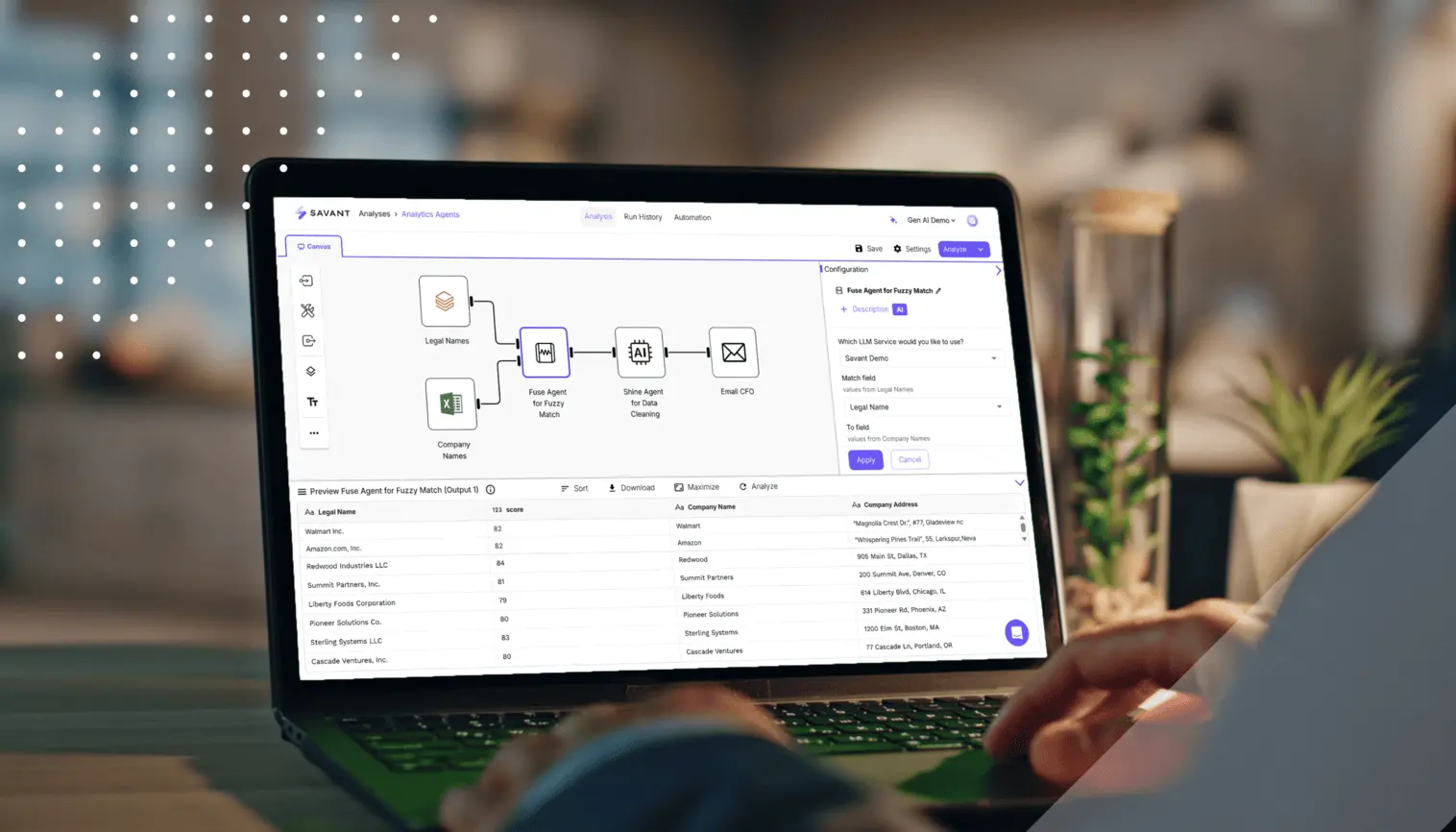
Savant is a no-code analytics automation platform that plugs into the finance tools you already use and turns file-heavy steps into durable, reviewable workflows. Teams connect quickly, run with guardrails, and keep an audit-ready trail without adding headcount or bespoke scripts.
Connect to hundreds of sources like ERPs, bank feeds, payroll, and expense tools, so that ingests run on schedule without manual imports. Mappings live in one place, which keeps downstream numbers aligned.
Cleanse, map, and transform financial data with drag-and-drop steps instead of fragile formulas. Logic is readable and versioned, making review and change control straightforward.
Surface anomalies, trend shifts, and actionable suggestions early. Reviewers get context with each flag, so issues are resolved before they reach the ledger or delay the close.
Schedule reconciliations, close tasks, and report publishing. People focus on reviewing outcomes and making decisions rather than assembling files.
Work securely in one place with roles, approvals, and history. Every change carries who/what/when, and evidence stays attached to the work instead of living in inboxes.
Start fast with templates for common accounting and reporting flows, then tailor as you go. The aim is quick wins and steady expansion, not a lengthy implementation.
With Savant, finance teams move faster and with more confidence because the system automatically and intelligently handles the plumbing and preserves the audit trail.
Spreadsheet-first workflows struggle with today’s volume, pace, and scrutiny. Cloud platforms and AI-enabled automation offer a steadier operating model: one source of truth, repeatable processes, and evidence captured as activity happens. Savant gives you governance that’s built in rather than bolted on, so closes run on time, audit questions meet a clean trail, and your team spends more energy on analysis and planning than on file wrangling.